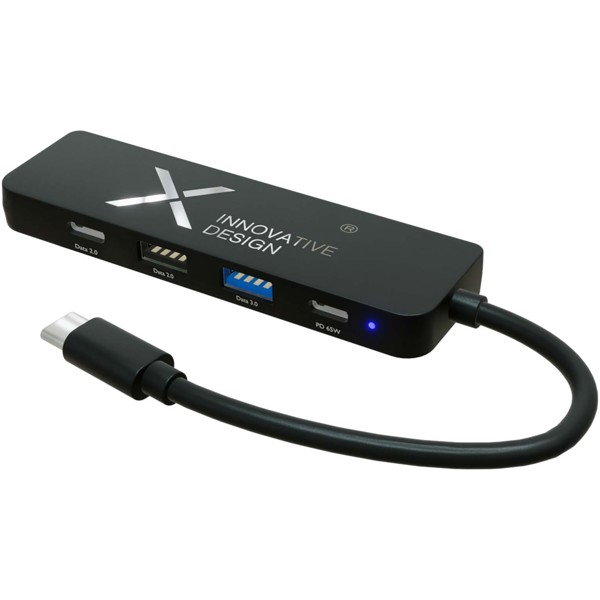
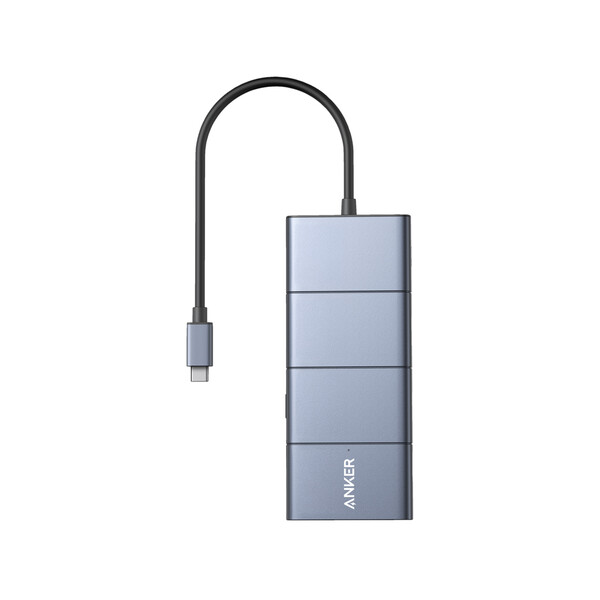
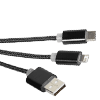
USB hubs and splitters with logo are a practical promotional gift for anyone who works on a laptop and often runs out of free ports. They help connect a mouse, keyboard, flash drive, card reader, phone, or presentation equipment, while your logo stays right on the desk. For onboarding, conferences, training sessions, and technical teams, choose by USB-C or USB-A connector, number of ports, transfer speed, charging support, and space for printing or engraving. The category is well complemented by USB accessories, computer accessories, USB flash drives, cables, and an overview of printing methods.
More about USB hubs and splittersHide extended text
A good USB hub does not end up forgotten in a drawer. It stays close at hand by the monitor, in a laptop bag, or in a meeting room, where it quickly solves the connection of another device. For a corporate series, it pays to match the connector type to the laptops in use and choose a design that looks just as good on handover as it does after months of use.
USB-C, USB-A, and port combinations
Newer laptops often rely on USB-C, while mice, keyboards, and older accessories are still commonly connected via USB-A. For a broader team, hubs with multiple output types are practical. Technical professions may also benefit from a card reader or a model with ports for data, accessories, and mobile devices.
Data, charging, and performance
For everyday office connectivity, a simpler USB hub is enough. If recipients work with photos, larger files, or presentations, data transfer speed becomes more important. For models intended to charge a phone or tablet as well, check the supported function and power output for the specific product.
Material, cable, and packaging
A metal body looks premium and pairs well with corporate laptops. Plastic versions offer a better price and often a wider choice of colors. A short cable is compact for a bag, while a longer one is better next to a monitor or docking station. Clear packaging with an obvious port description helps at handover.
Where a logo stands out on a USB hub
A logo stands out best on the flat top surface of the hub, or on the packaging or an inserted card. On metal models, engraving often looks elegant, while printed branding is usually suitable for plastic variants. Branding should leave ports, indicator lights, and technical labels visible so the hub remains easy to use.
Frequently asked questions about USB hubs and splitters
How many ports should you choose for an office team?
For everyday work, three to four ports are usually enough. For IT, design, or frequent connection of multiple devices, choose a more equipped model.
Is a USB-C hub better for company laptops?
For newer laptops, usually yes. If the team uses different device generations, first check the connectors in use.
Can a USB splitter charge a phone?
Some models can, while others are mainly for connecting peripherals and data transfer. Check the charging function on the selected product.
Where is a logo placed on a USB hub?
Most often on the flat top surface of the body. On smaller models, printing on the packaging or an inserted card may be more suitable.









































































 Čeština
 EUR
EUR